📣 Twomi v1.17.0 Update
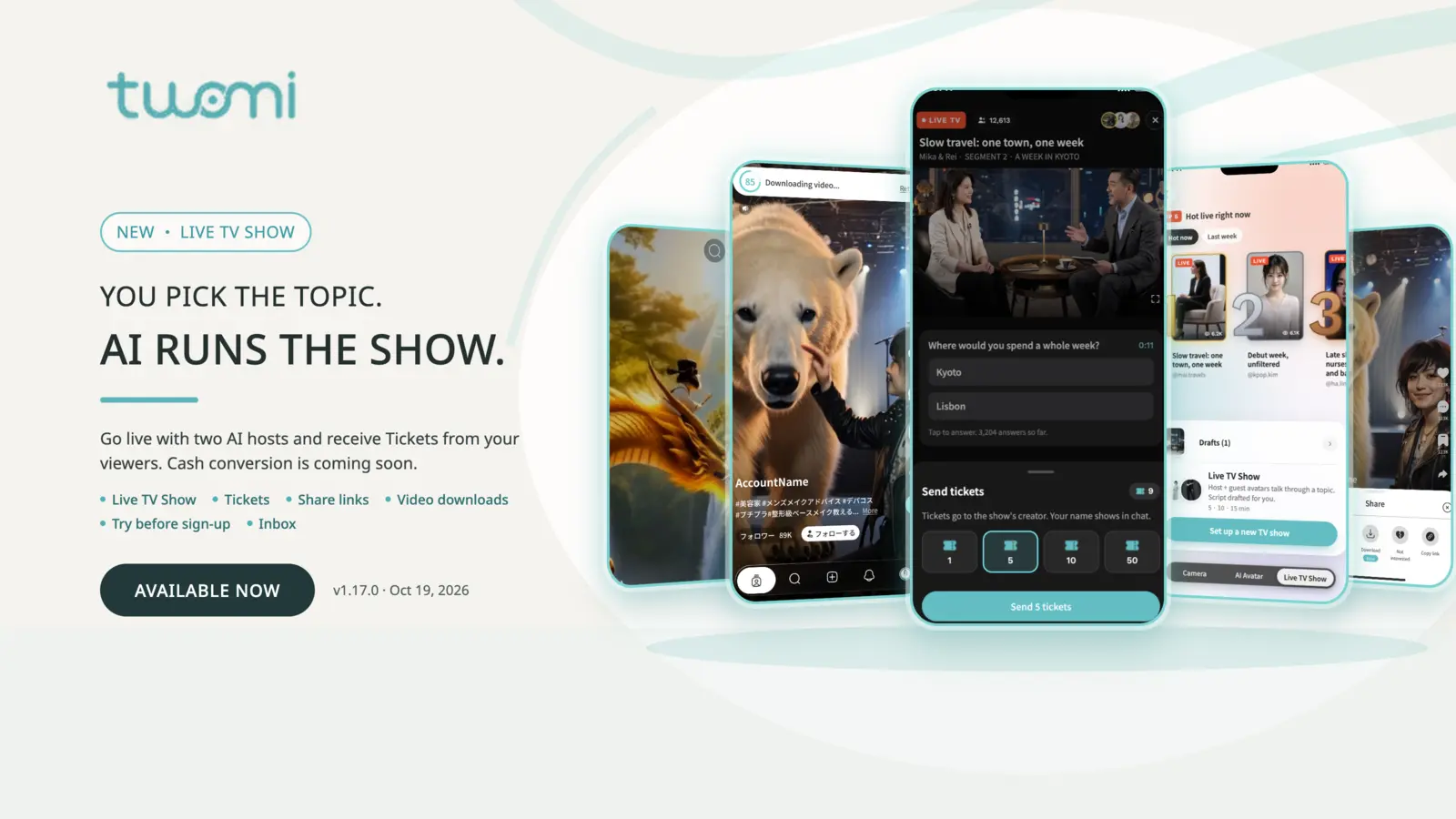
Turn your ideas into shows and build your future earning potential
A question you care about could be the starting point for your future income stream. With Twomi v1.17.0, you choose the topic and two AI hosts lead the show. Build an audience around your ideas and receive Tickets — in-app gifts that viewers send to support creators. Cash conversion for received Tickets is planned for the future.
Live TV Show replaces Livestream. You can start by watching and listening, without preparing a question or speaking. When you want to take part, use Jump In. When you have an idea of your own, become the creator.
1. Build an audience that can support your shows
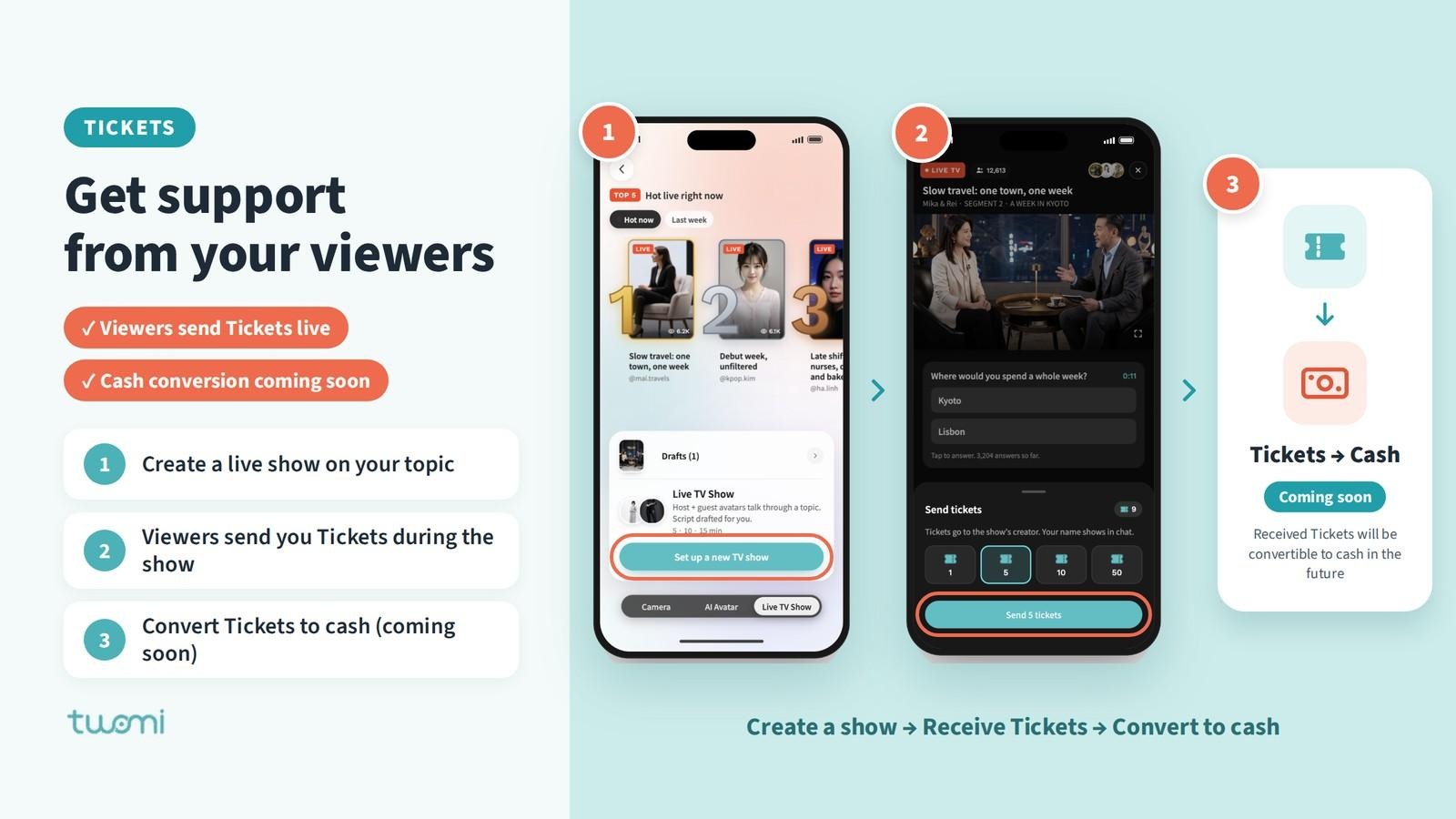
You don’t need to become an on-camera presenter or produce every minute yourself. Twomi generates the script and the AI hosts handle the conversation, leaving you to focus on a topic worth watching and the audience you want to reach.
When viewers find your show useful or entertaining, they can send you Tickets as a gift during the live show. Give them a simple invitation: “If this discussion helped you, you can support the show with Tickets.”
Tickets received from viewers will be convertible into money in the future. Start building your audience now: explore related questions in new episodes, invite people back, and share highlights to reach new viewers. Each episode gives people another reason to return and support your work.
2. Create a show people want to watch
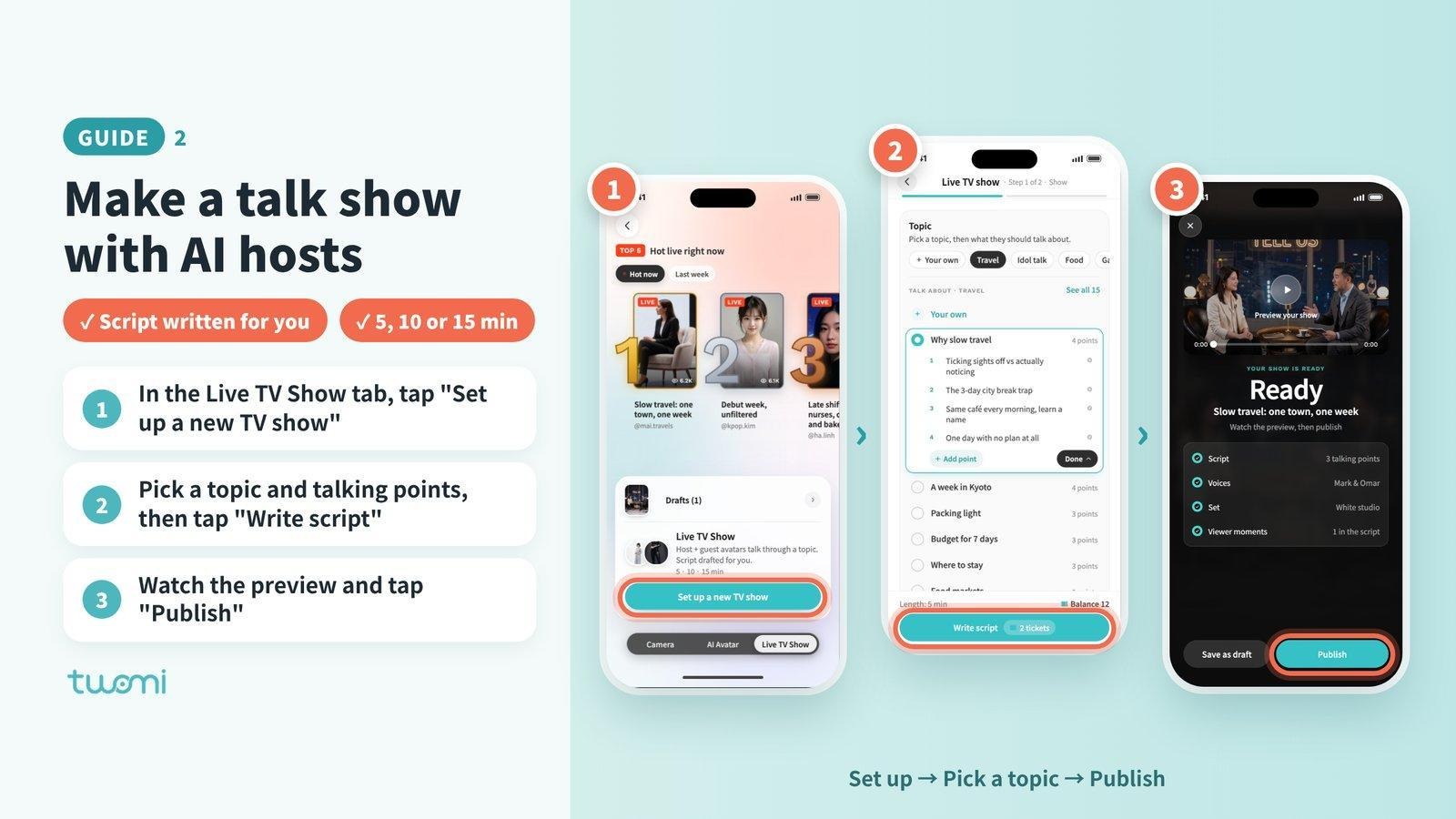
Choose a topic and a show length of 5, 10 or 15 minutes. Twomi generates the script, and two AI hosts present the show. Go live immediately or schedule it for later, without filming yourself or writing a full script.
Try a focused question, such as “How will AI change my first job?” A clear topic tells viewers what they will get from watching and gives you a reason to invite them.
3. Invite anyone with your show link
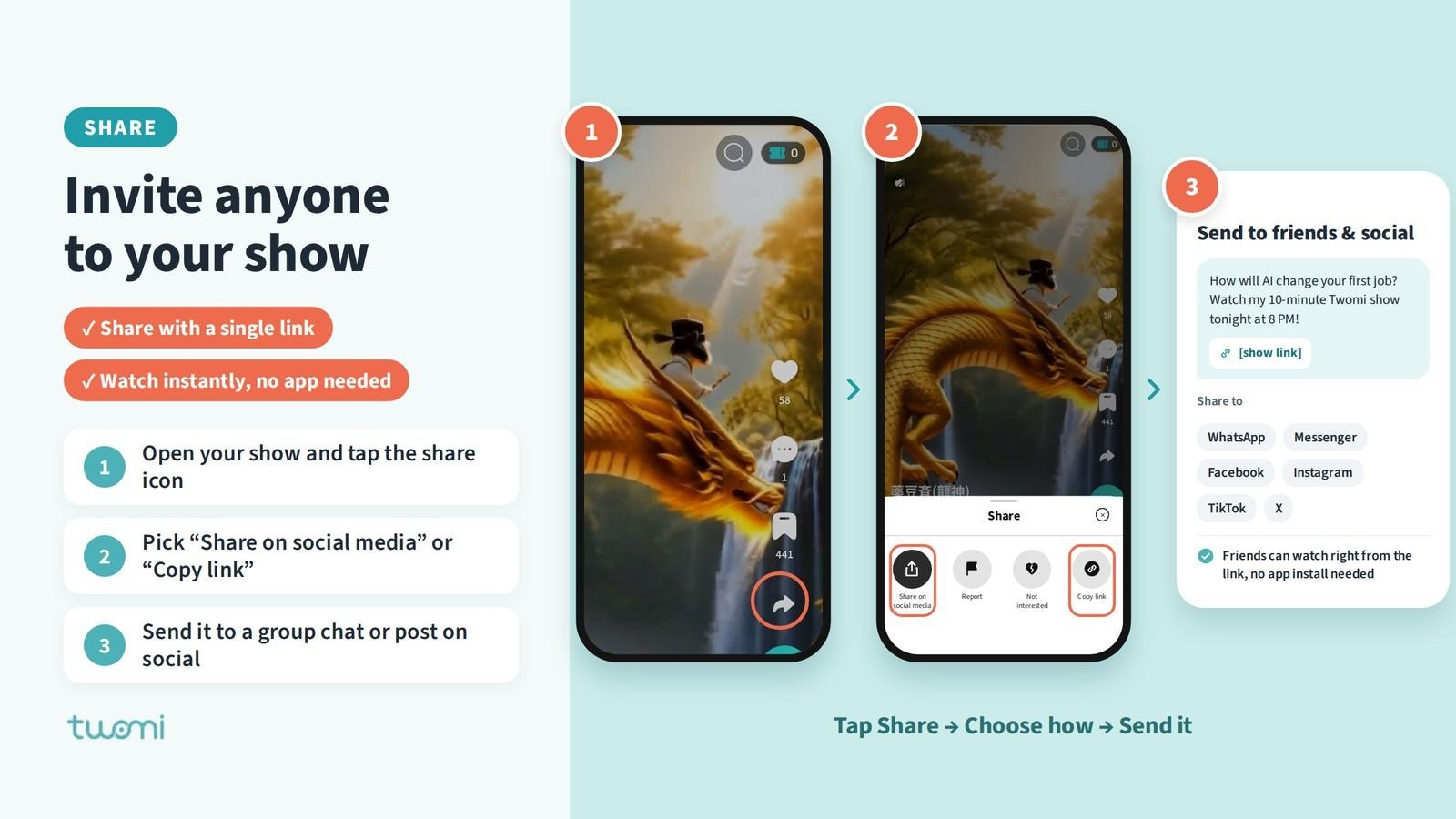
Open the show and tap Share. Send its link directly to a friend or a group chat, or post it on your social accounts. Add a short explanation of the topic and, for a scheduled show, the start time.
For example: “How will AI change your first job? Watch my 10-minute Twomi show tonight at 8 PM. Come listen, and jump in if you have a question: [show link].”
People can open the shared show and watch without installing the app. They can start by listening and participating when they are ready.
A friend who discovers your show today could become a returning viewer for the next one. Share the topic as well as the link, so people know why it is worth their time.
4. Turn social posts into new viewers
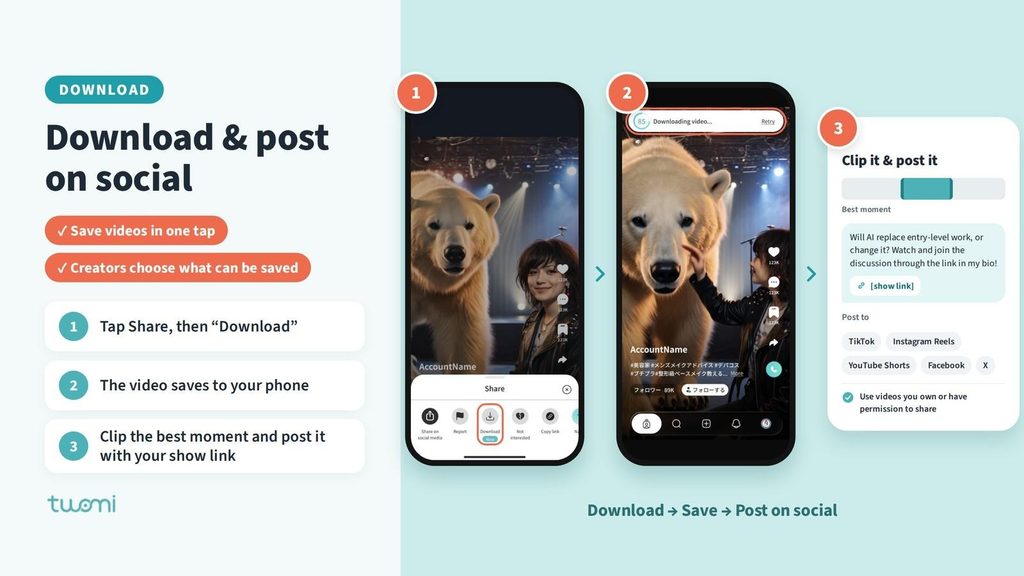
Sharing a show link invites people to the live experience. Posting a video on major social platforms such as TikTok, Instagram, YouTube, Facebook and X shows many more people why they should watch.
For a video with downloads enabled, tap Share, then Download to save it to your phone. Choose a useful answer, a surprising opinion or an interesting exchange, and edit that moment into a short clip using your preferred editor. Post it on TikTok, Instagram Reels, YouTube Shorts, Facebook or X.
Add a clear invitation back to your Twomi show. Include the show link wherever the platform supports clickable links, such as your profile or a post. For example: “Will AI replace entry-level work, or change it? Here’s one perspective from my Twomi show. Watch and join the discussion through the link in my bio.”
Each platform handles videos and links a little differently. For example, some only allow clickable links in your profile or bio.
See how to share on each platform in the Twomi Help Center: https://twomi.zendesk.com/hc/en-us
Creators control which videos can be downloaded. Use videos you own or have permission to share.
One show gives you more than one chance to be discovered. Use different moments for different posts, each pointing back to Twomi. Social reach becomes valuable when it brings people into your shows, where they can watch, return and support you.
5. Build your promotion routine with Buzzencer
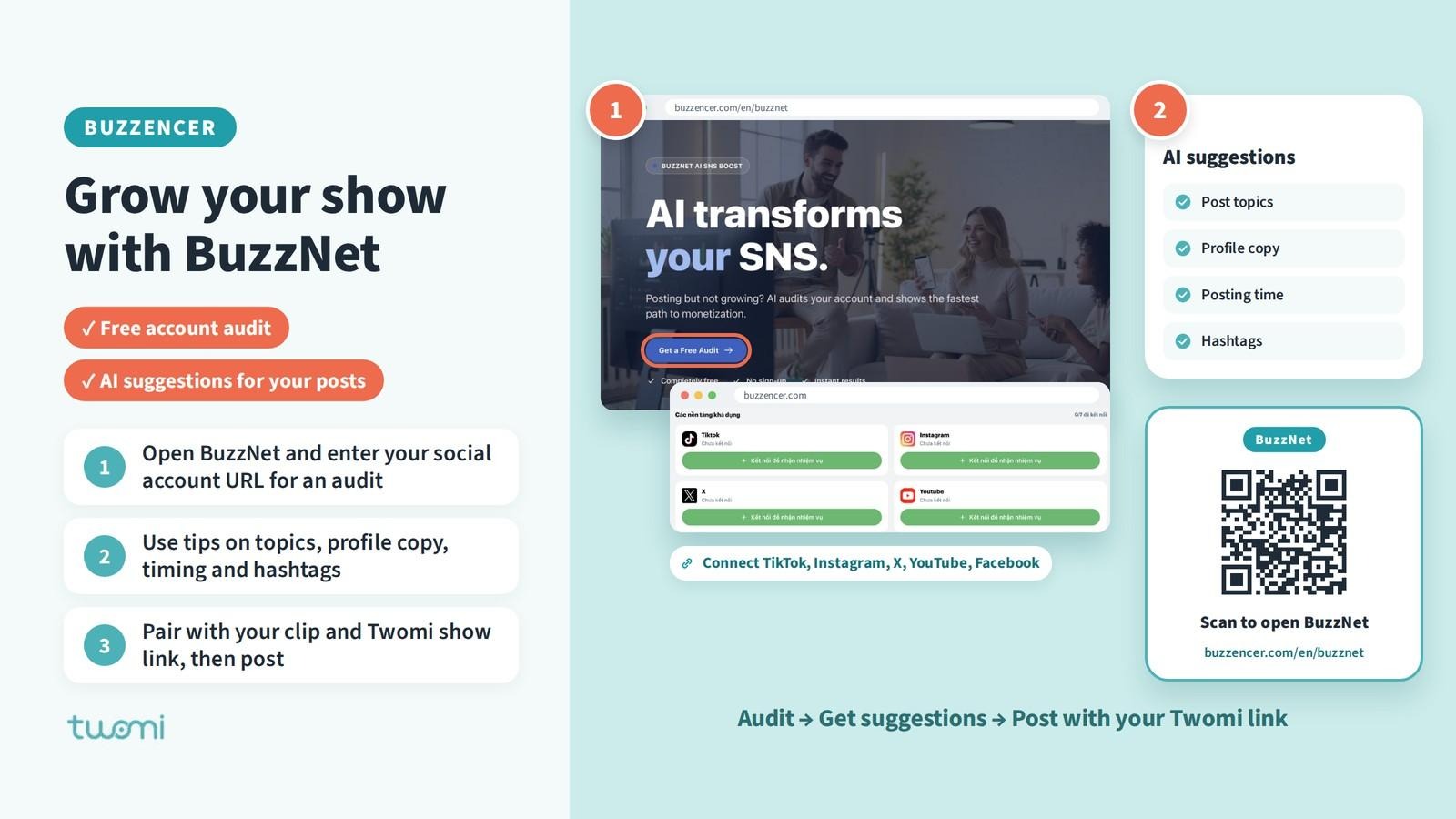
Buzzencer can help you keep promoting your shows through BuzzNet, its AI tool for social content and account improvement.
A practical way to use it alongside Twomi is to:
1. Open BuzzNet through Buzzencer and enter your social account URL for an account audit.
2. Use its recommendations on post topics, profile copy, timing and hashtags to plan promotion around your show’s subject.
3. Adapt the suggested copy to your show, pair it with your downloaded video or edited clip, and add the Twomi show link before publishing.
For example, one show about AI and careers could give you a pre-show invitation, a clip featuring a key argument, and a follow-up post asking what viewers want discussed next. Each post gives a new audience a reason to visit Twomi.
Explore BuzzNet: https://buzzencer.com/en/buzznet
More in v1.17.0
Try avatar conversations before signing up
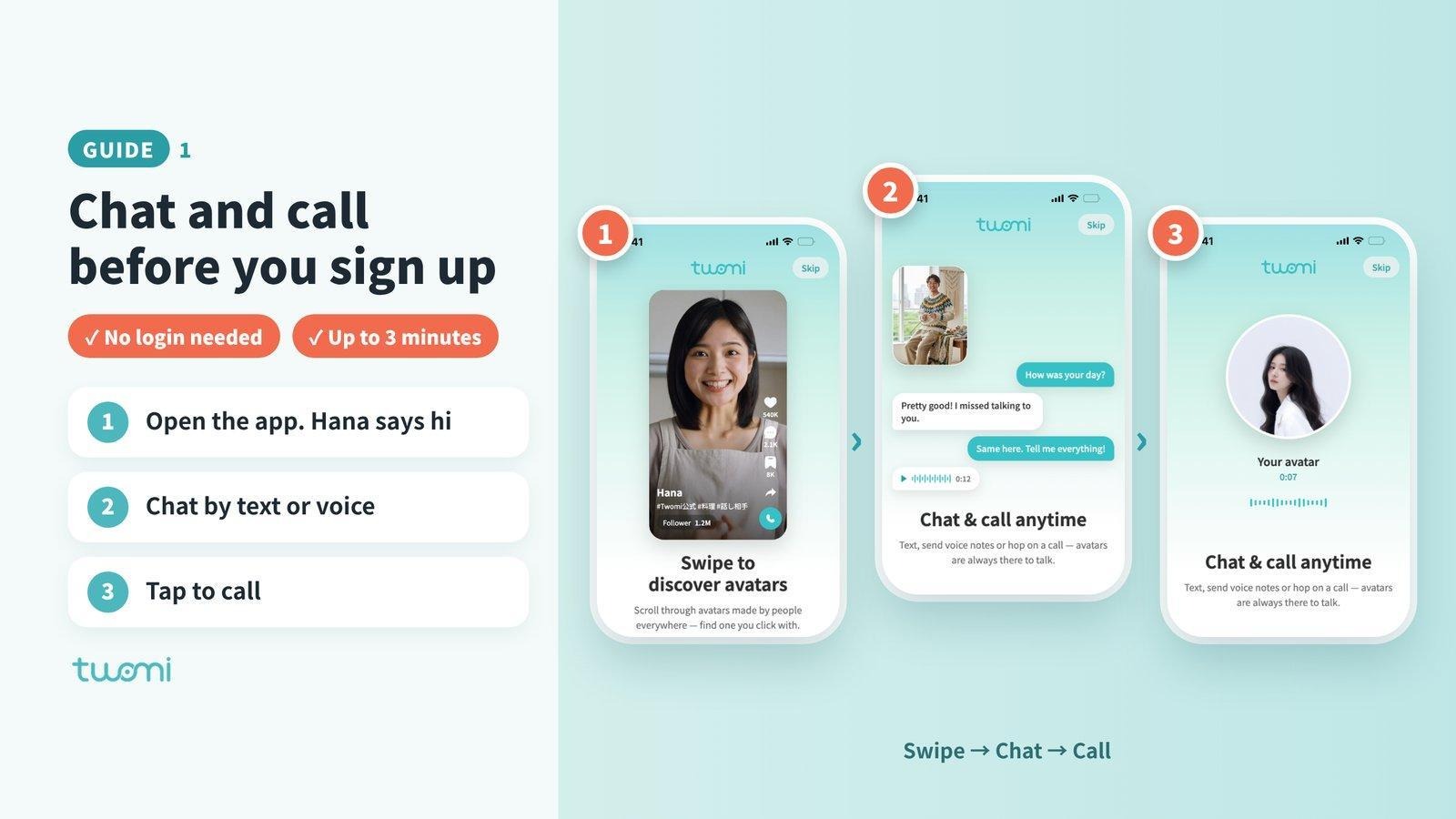
New users can chat or call avatars for up to 3 minutes before creating an account. Hana welcomes them into their first chat, and avatars address them by name from the start.
Keep conversations and video progress in one place
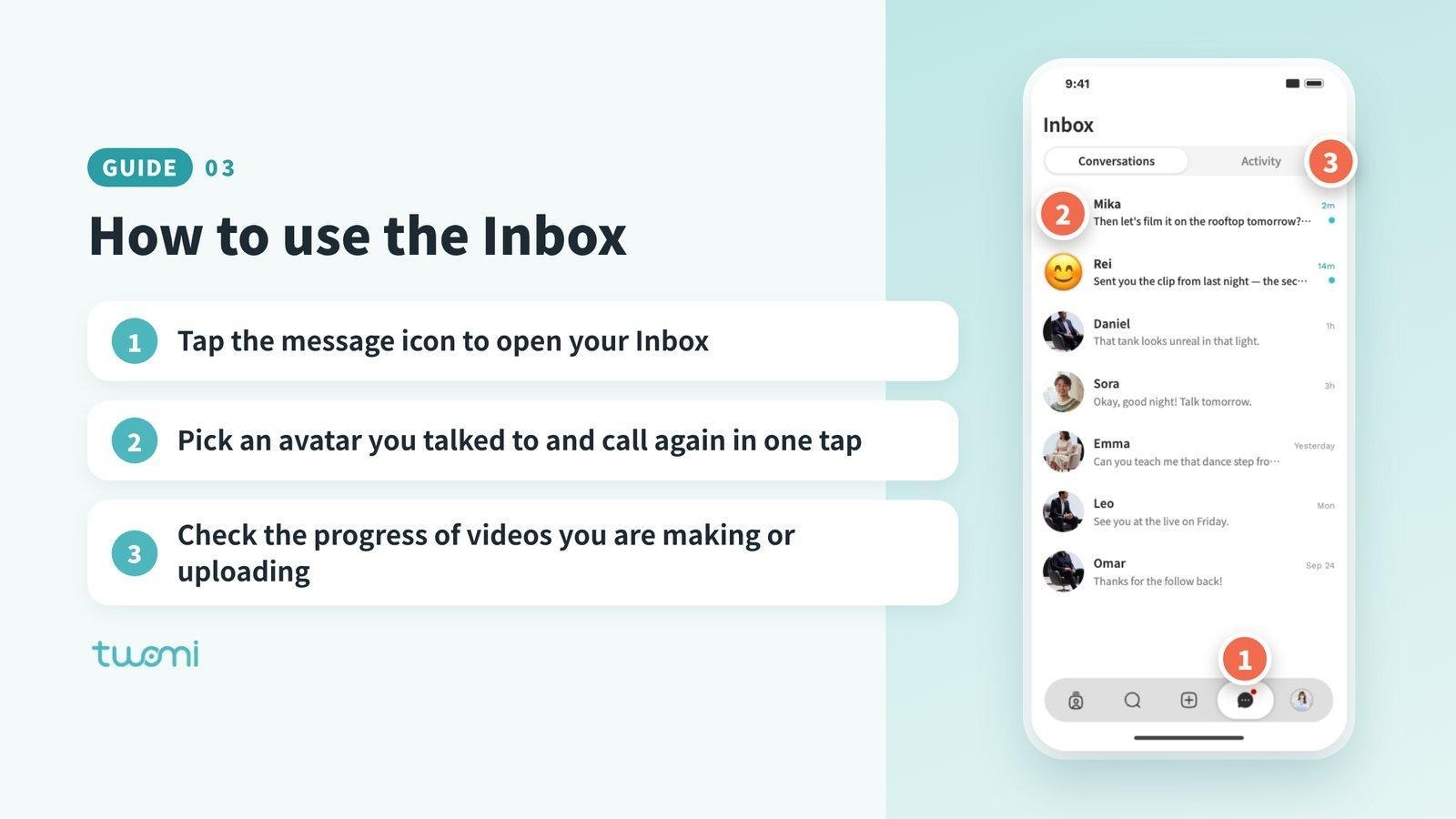
The Inbox brings together avatars you have talked to, so you can call again easily. You can also check video creation and upload progress while continuing to use the app.
Create your first show and start building your audience
Update to Twomi v1.17.0. Choose a topic you care about, invite your first viewers, and give them a reason to come back. Your next idea could become a show people want to watch and support.